
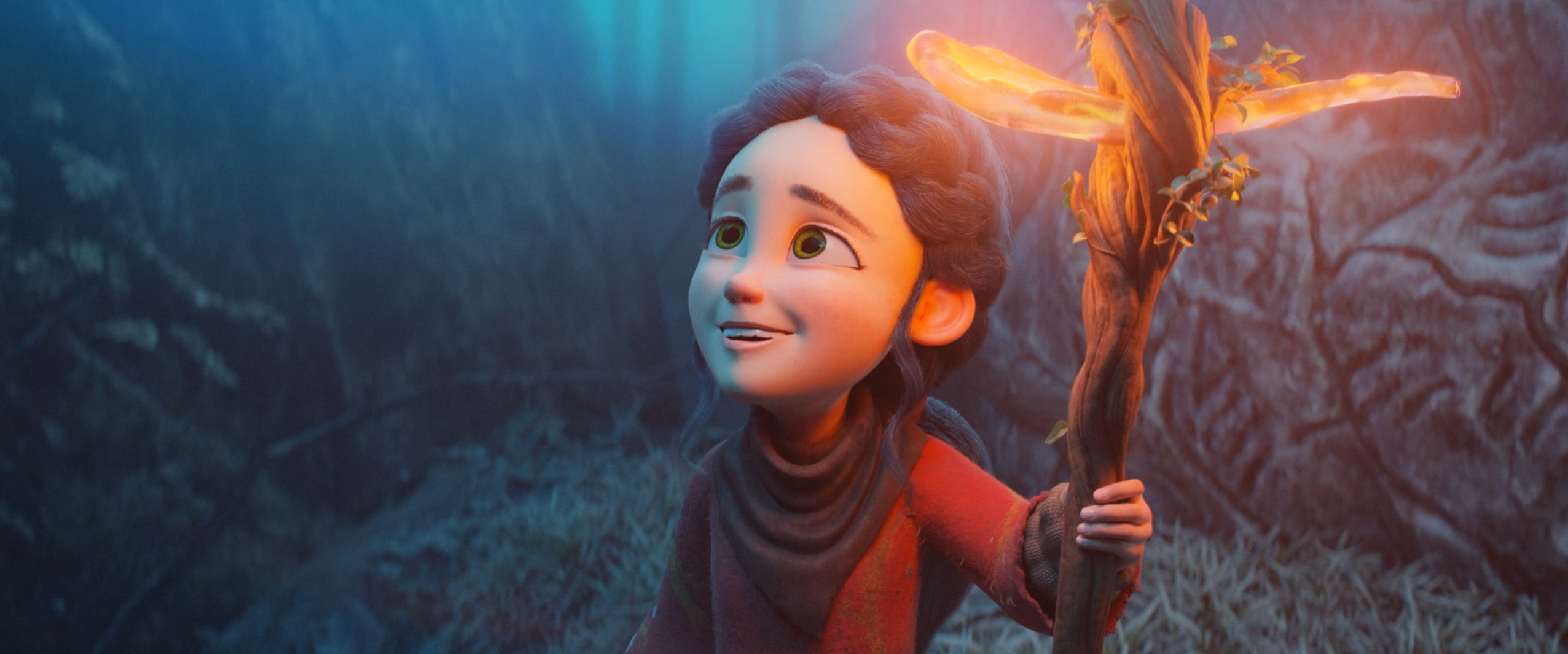
Why I Chose Blender | Thoughts on Choosing 3D Software

Maya? Blender?
Before I tried Blender, I had already been using Maya for two years
Whether it was evening classes or school, everyone taught Maya as the core software
Technically, both 3D packages are capable of top-tier production work
If you know what you’re doing, either one can create any image you want
So sometimes I ask myself…
“Why do I prefer Blender now?”
In this post, I don’t want to compare technical details. Instead, I’d like to share my personal impressions of Blender
and try to answer why Blender became my 3D software of choice
(Heads up! This is about my “personal feelings”, so it will be very subjective)
How I first tried Blender
Before trying it, my impression of Blender was simply:
“some software people talk about”
It was probably one late night
after Maya had worn me down with Fatal Errors and the spinning rainbow wheel…

With the thought “maybe Blender crashes a bit less” and a “let’s try new tech” mindset
I opened Blender Guru’s donut tutorial…
Even though I already had a Maya background
I imagined myself as a complete 3D beginner
and learned Blender its own way from zero, so I could really feel the difference between the two
Modifiers in Blender
The first thing that won me over was probably the Modifier system
It’s a bit like Effects in After Effects: you can change things without actually editing them
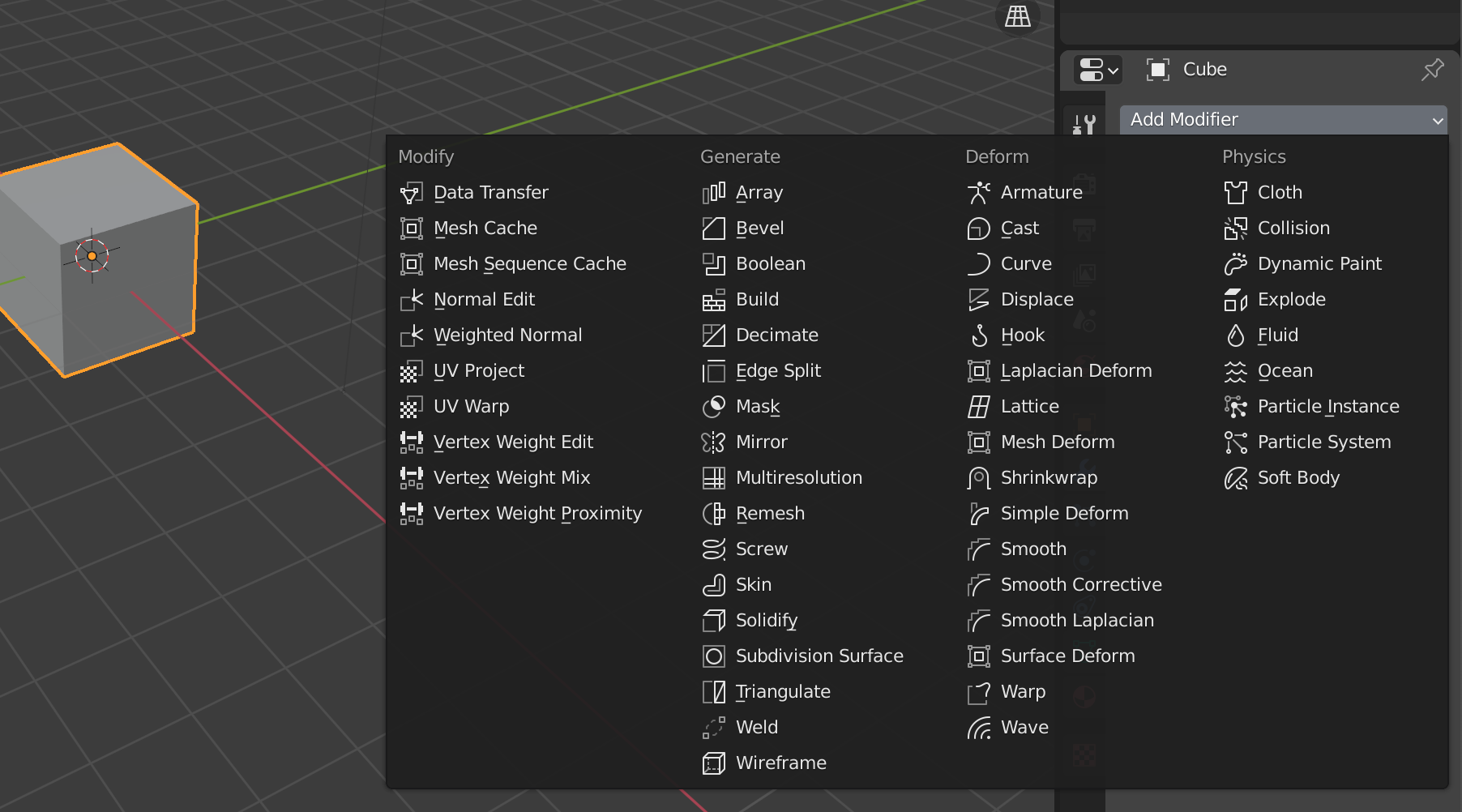 (Blender has lots of Modifiers)
This means
I can start from a simple base shape and stack different procedural effects to get the result I want
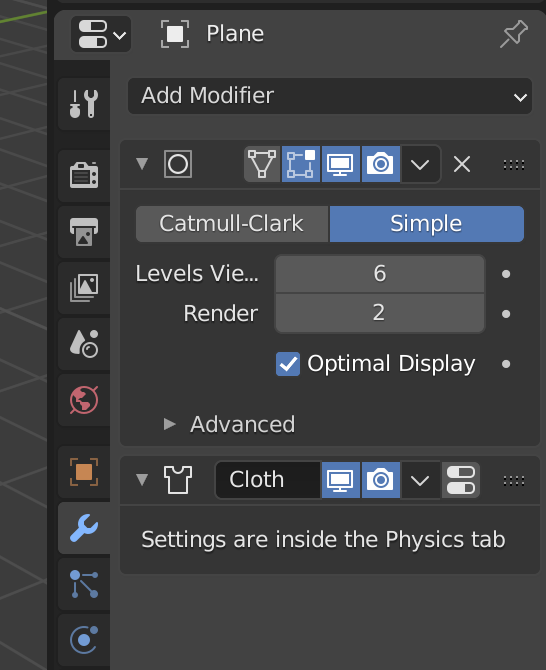
A cloth simulation like this uses just 2 Modifiers on a plane
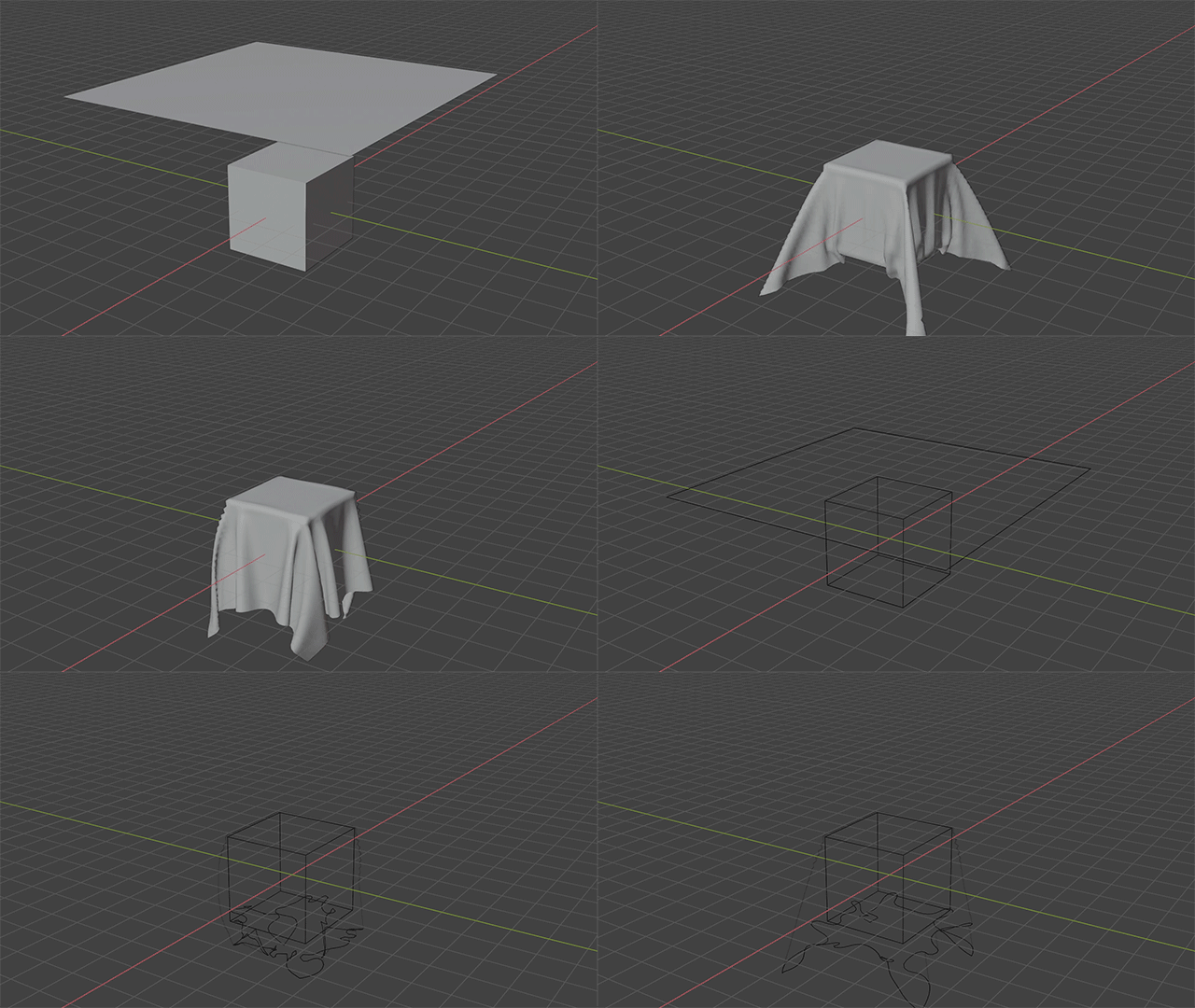
The first is Subdivision, which gives the plane enough resolution for the cloth simulation
The second is Cloth, which does exactly what it says: “cloth simulation”
Turn the Modifiers off, and that cloth is still just “a basic plane with only 4 vertices”
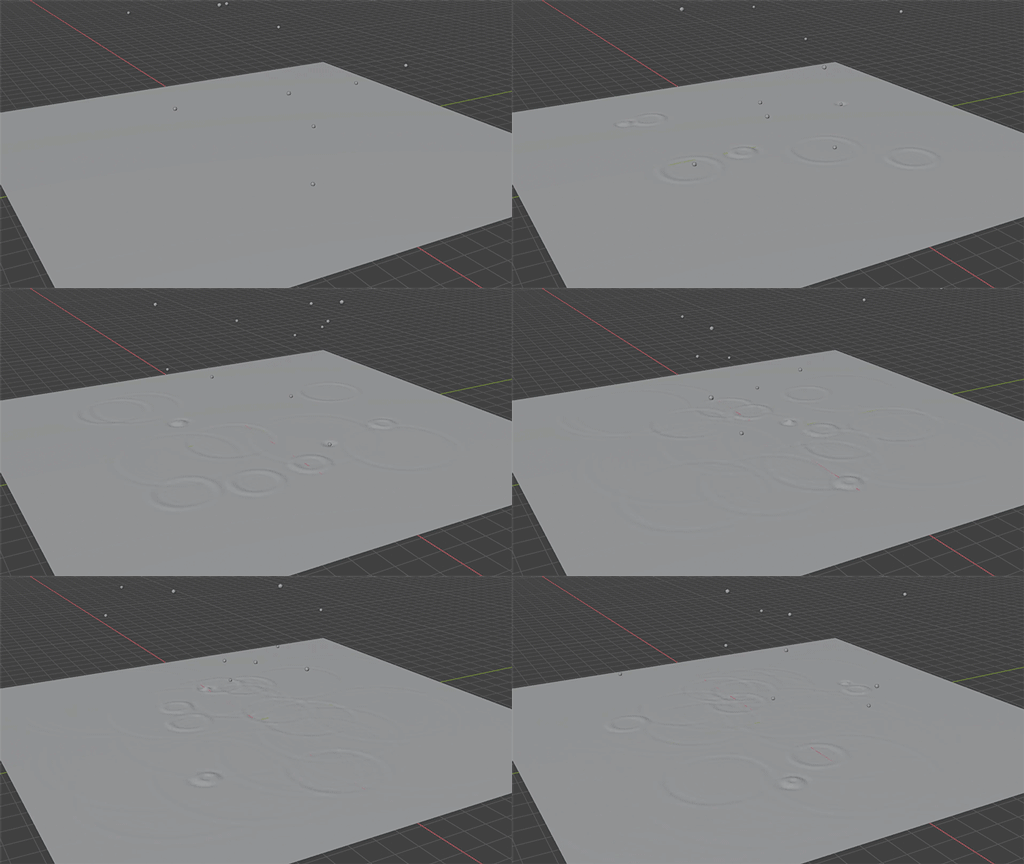
Another example is rain with water ripples
It’s mainly made with just two Modifiers: Particles and Dynamic Paint
Or use a Particle Modifier to quickly place lots of buildings and create “the illusion of a city”
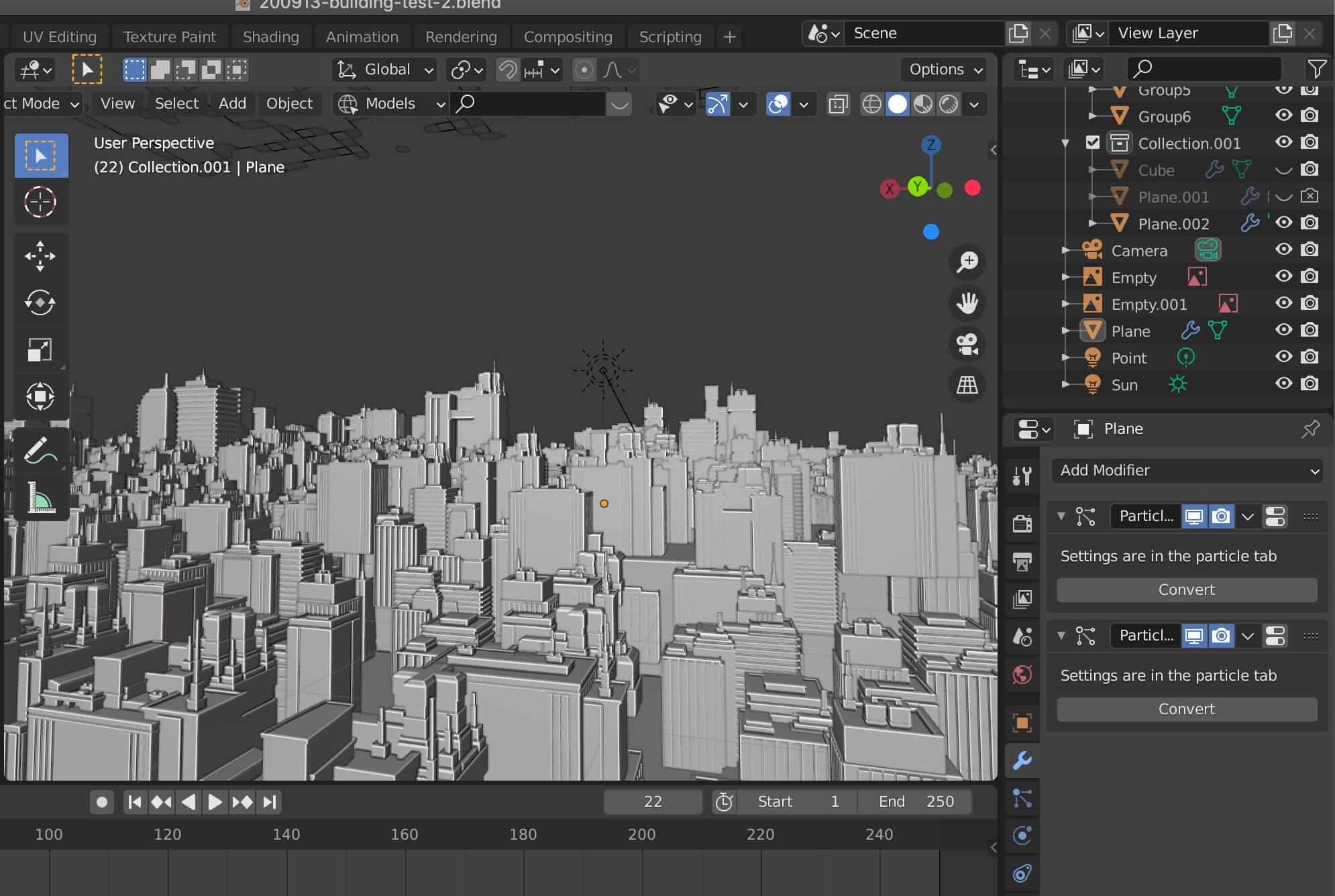 Of course, you still need to make the buildings yourself
You can Apply a Modifier at any time, which makes the change permanent
But I prefer not to Apply them, so everything stays “editable”
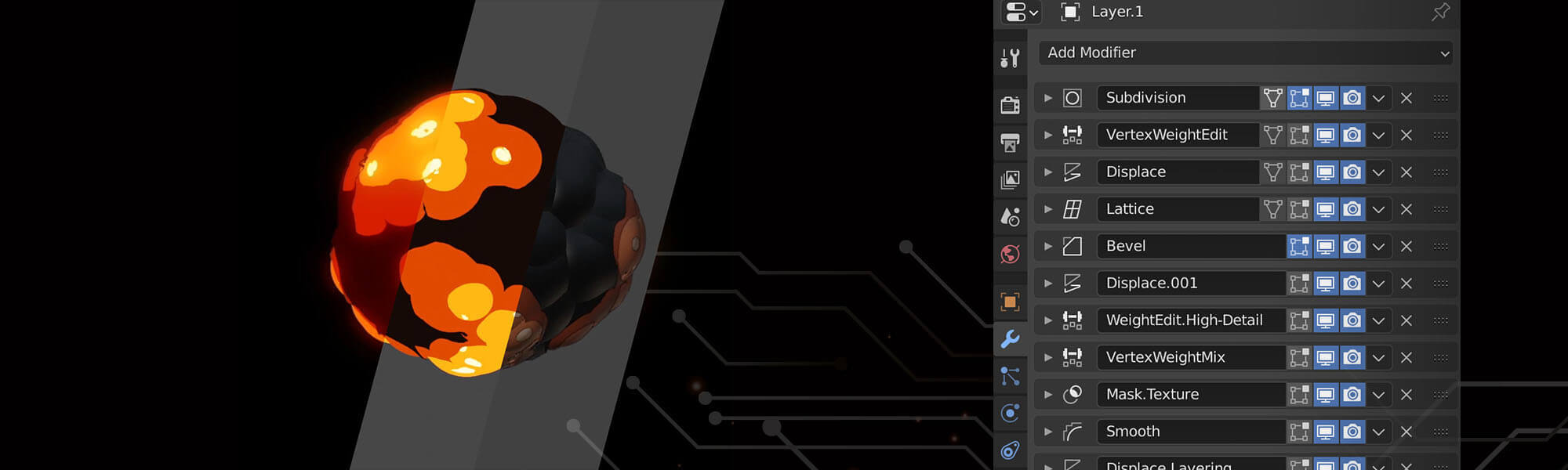
For more ways to play with Modifiers, check out my other post: Procedural Animation | More Ways to Use Displace
Lighting in Blender - Filmic sRGB
3D software used to be limited by the traditional sRGB color space
which left renders with too little dynamic range
You couldn’t recreate a real environment with realistic lighting alone
A common workaround is to add fill lights “where there are no lights in reality” (a.k.a. fake lights)
to recreate the “high dynamic range image” our eyes see
I’ll explain dynamic range in detail in a future post
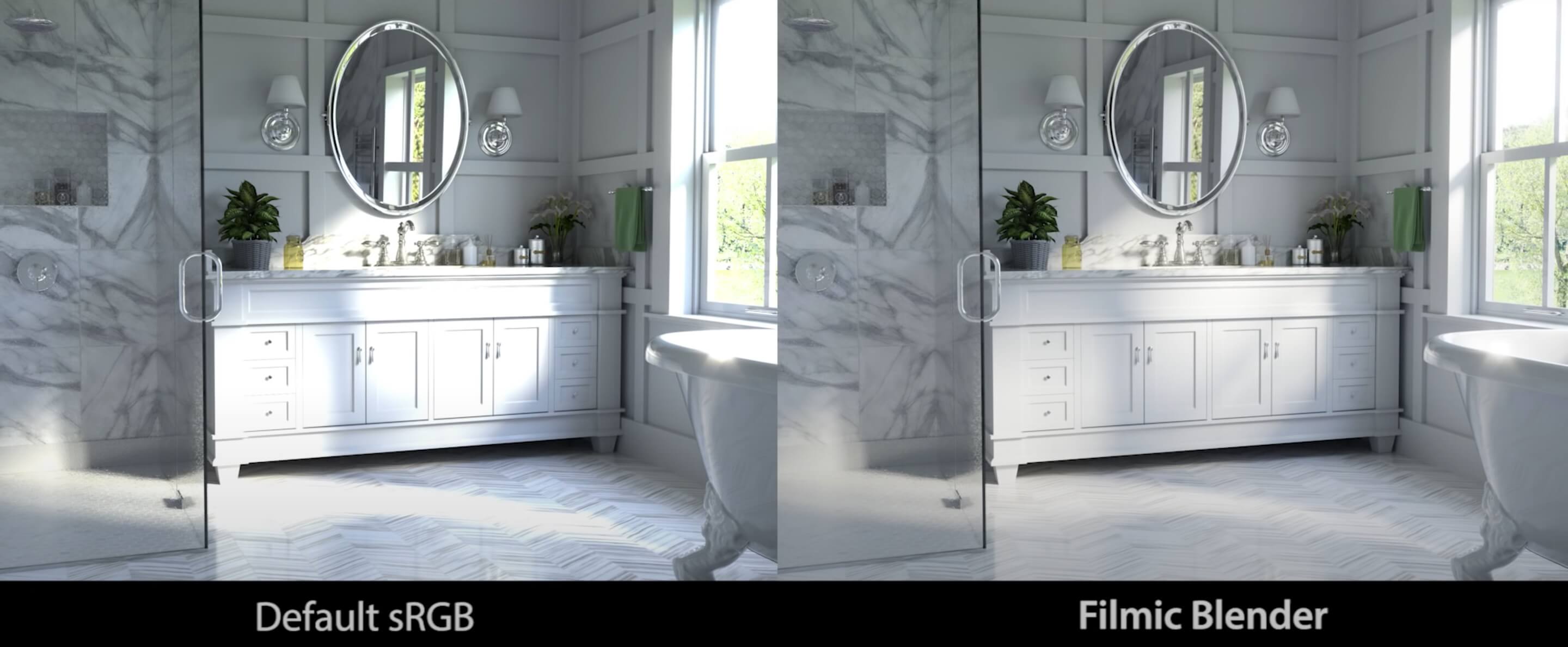
Blender had this problem at first too
But then an enthusiastic user made a solution for Blender: Filmic Blender
By adjusting the sRGB View Transform, it increases Blender’s dynamic range
making it much easier to recreate photo-realistic lighting
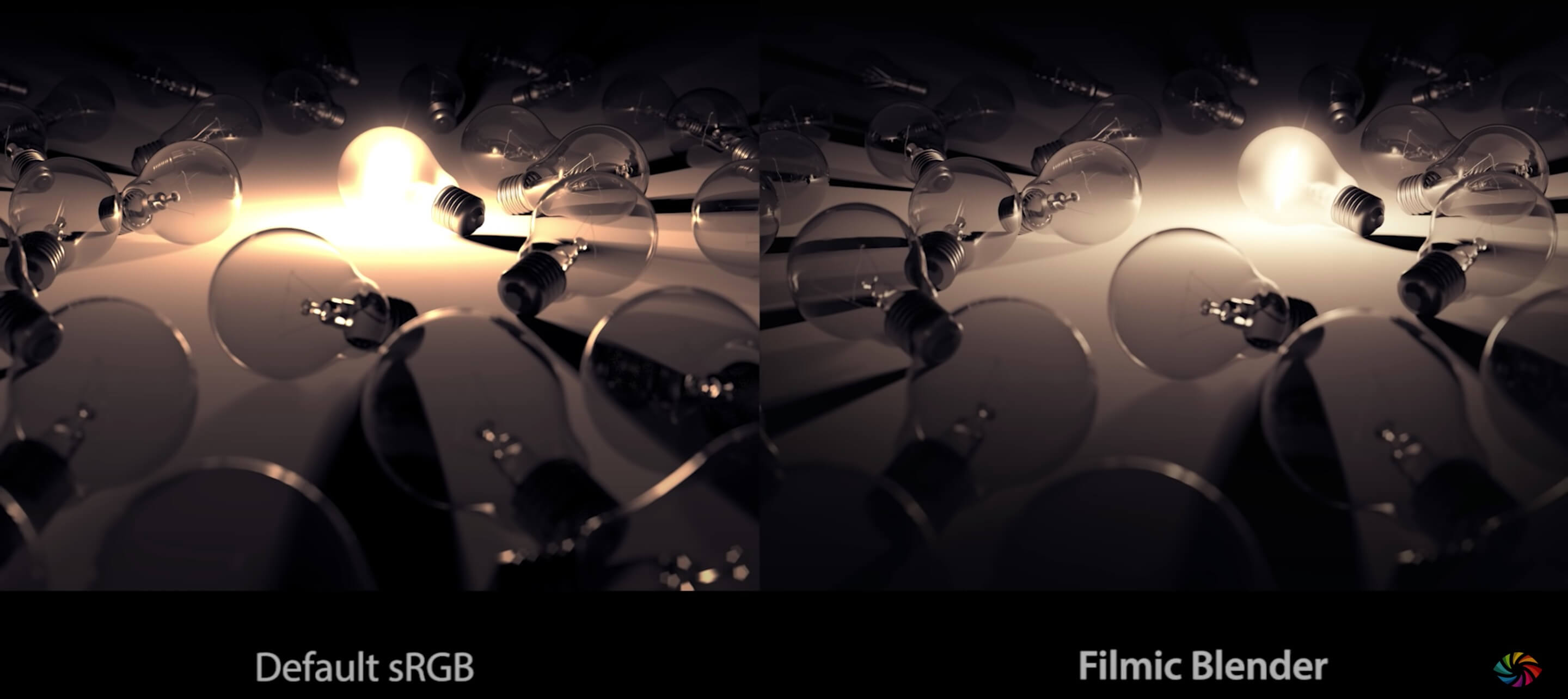
Since Blender 2.8, Filmic has been built into Blender and became the default
(Update: since Blender 4.0, the default has changed to the newer AgX. The idea is the same: both extend the dynamic range, and AgX handles very bright, saturated colors more naturally)
If you’re interested, check out this video. It explains everything in great detail
so you’ll understand the whole problem and its solution
Blender Guru: The Secret Ingredient to Photorealism
Free and legal
Blender is committed to staying free forever. Ton Roosendaal, Blender’s creator and chairman of the Blender Foundation, once said:
I’m not interested in making money. What I’m really interested in is making things together with the team I’ve built The Blender Foundation exists only to support the Blender Studio, so the team can focus on developing and improving Blender
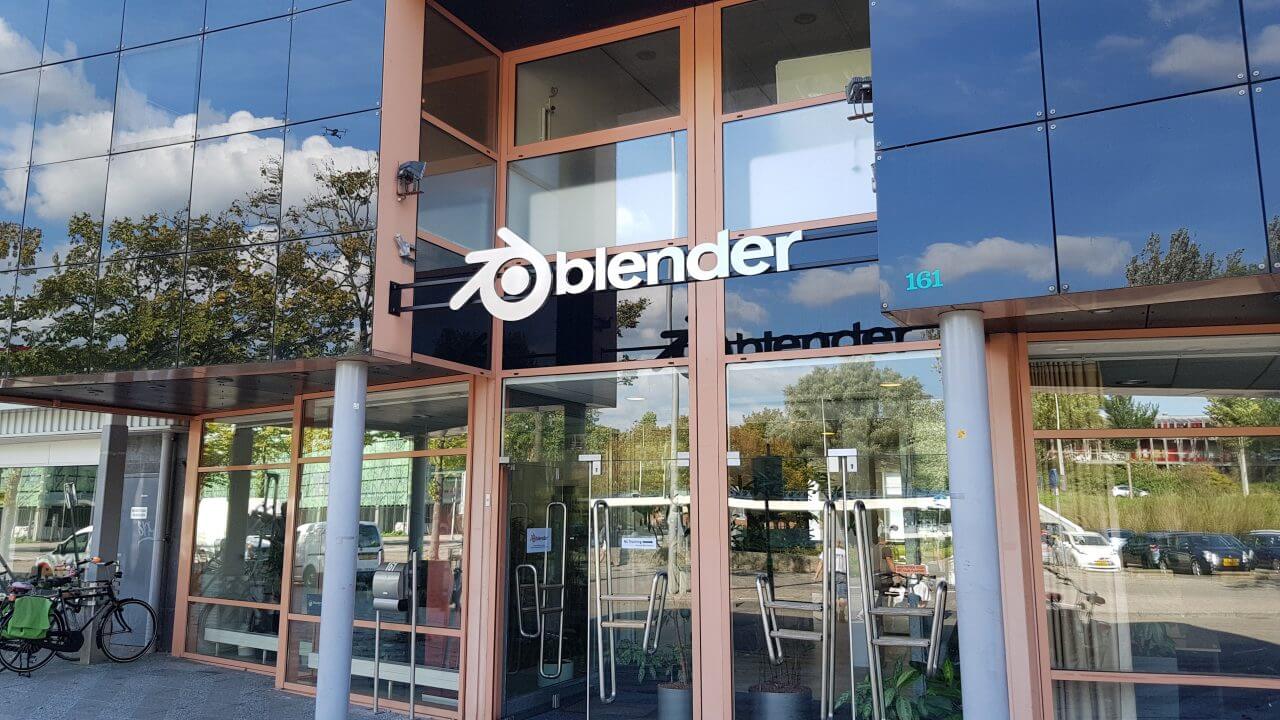 Blender Institute in the Netherlands
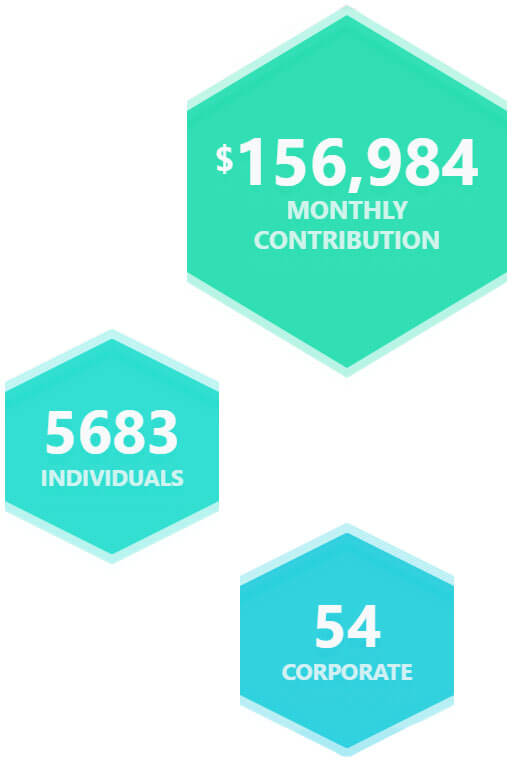
The Blender Foundation - funded by donations worldwide
In fact, Blender really “doesn’t need” to charge anyone
The huge amount of donations the Blender Foundation receives means Blender doesn’t have to worry about money. According to the Blender website, the Foundation already receives US$150,000 per month
Goodbye, “student versions”
To lower the cost of learning, many software companies now offer “student versions”
Just upload proof that you’re a student, and you can get the official software for free or at a discount (great news for students~)
These student versions usually unlock all features, but you need to renew your student status regularly (roughly every 1 to 3 years)
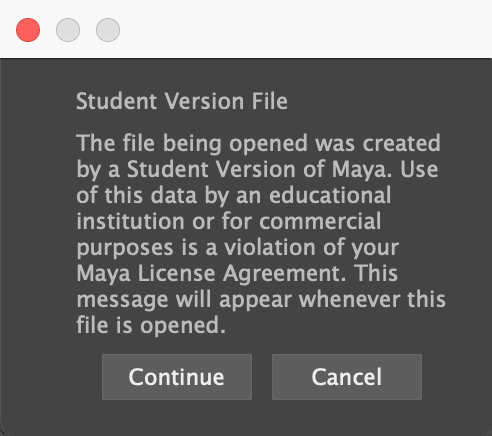 Student Maya shows a warning when saving
Take Maya as an example: you renew every 3 years, but every time you save or open a file, a “you’re using a student version” message pops up and you have to close it manually (not a big deal really, just click it away~ you get used to it quickly)
Maya’s student version may be free, but your student days will end eventually, and you can’t keep using it for free forever…
For someone like me with a “must use legal software” obsession
Blender being free and legal meant I no longer had to worry about trials or student versions. It gave me a great option
Those are some of the things I like about Blender
But none of the reasons above compare to this one big reason
Which is…
I love this software
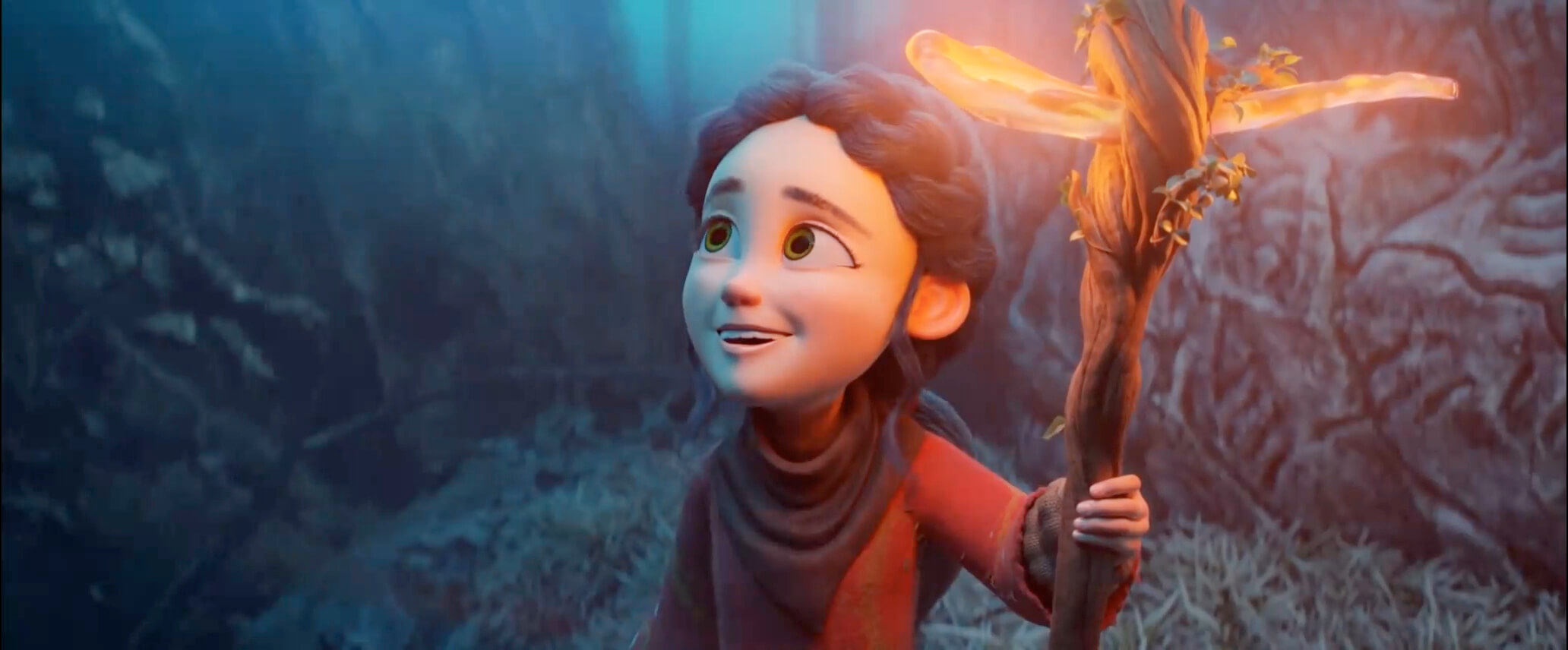
In 2005, the Blender Animation Studio was founded and started a series of Blender Open Movie projects
aiming to make film-quality animated shorts “using only Blender”
Besides showing the world how far Blender can go, the more important goal was to gather user feedback
By working on real productions, the Blender developers understand what features production actually needs
which keeps Blender’s development close to what users need
One of the Blender Animation Studio’s shorts: Spring
An animated short made in 2019
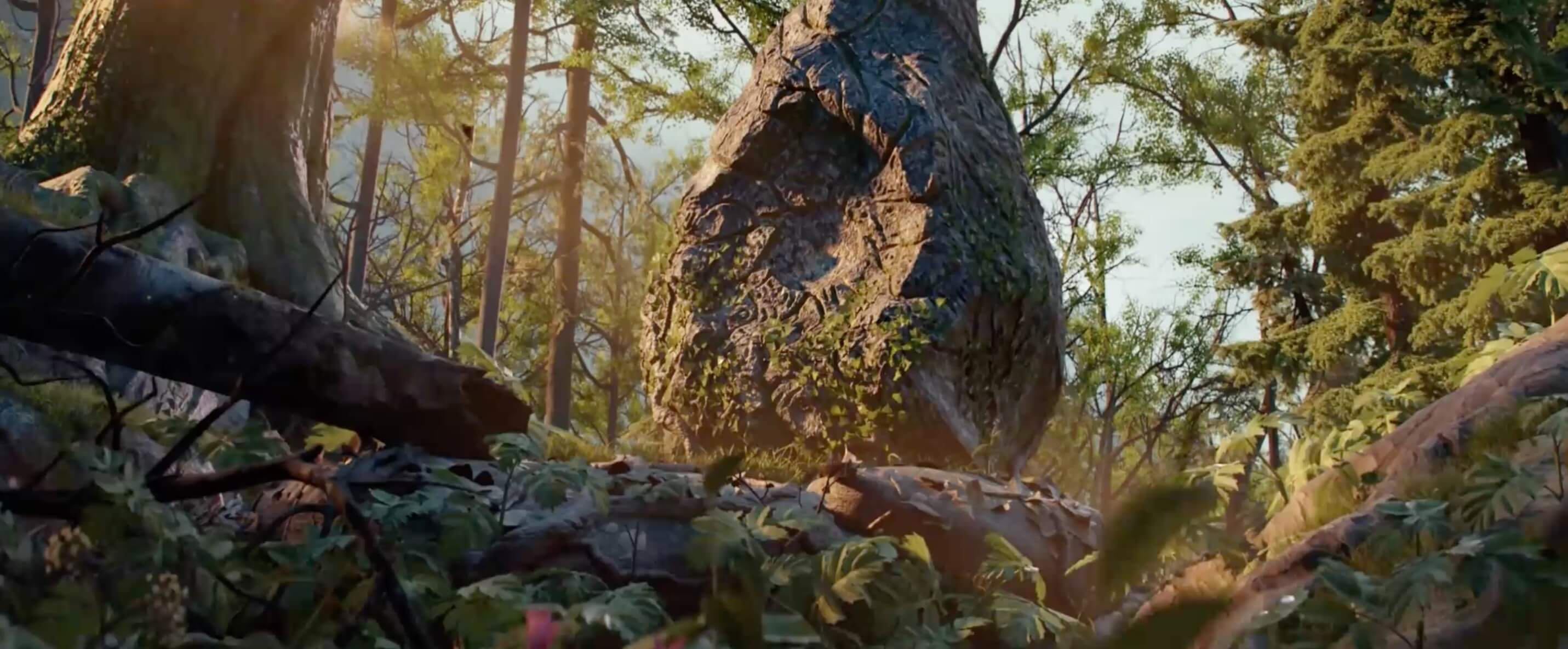
After watching it, I was completely blown away
Not only was I even more convinced that “Blender can create film-quality images”
but more importantly
it taught me a lesson
In the end, software is just a tool
What creates real value is the person using the tool, not the tool itself
We shouldn’t spend too much energy “searching for better software”
because technology keeps moving fast, and there will always be “better software”
It’s destined to be “an endless search”
Instead, we should focus our energy on “improving our art skills”
Only when our skills are there can we make better work
We don’t need technicians who are software experts… If you’re a traditional artist and you know how to use a computer, you can come to work Klaus Lighting Supervisor, Florian Aupetit
That’s why…
some people can draw with a finger on their phone what I can’t even draw with a computer and a tablet
“What limits us is usually not how good the tool is, but how capable the creator is”
A year ago, late one night at home, Blender taught me this lesson
And now, in my mind, Blender has come to represent this idea…
It’s exactly this idea of “don’t chase tools too much” that makes me love using Blender even more
It sounds a bit contradictory, but that’s really how it happened XD
Like a character, Blender has come to symbolize that idea for me
For me, “using Blender” is no longer just using a piece of 3D software
It’s also a way of supporting that idea
Maybe this is just wishful thinking on my part, but it has greatly increased my loyalty to Blender
so even when it crashes, has bugs, or lacks a feature, I keep choosing Blender
I hope that while comparing software, we all keep working on our art skills too
Let’s keep improving together~
Note: There’s much more fun in Blender than this, like the super fast EEVEE renderer, built-in texture painting, and so on…
(And one last thing: I think Blender’s interface is really coooool~)